Organization Settings
Organization settings are presented as a modal dialog accessible from the account menu via “Manage organization”. The modal uses a split-pane layout — sidebar navigation on the left, scrollable content on the right — and supports six tabs covering all org-level configuration.
Access
Section titled “Access”The modal is opened via the useOpenOrgModal() hook, which accepts an optional initialTab parameter to deep-link to a specific section:
const openOrgModal = useOpenOrgModal()openOrgModal("billing") // Jump directly to billing tabThe “Manage organization” button is available to all org members from the account dropdown in the app shell.
Profile
Section titled “Profile”Permission: Owner or Admin
Edit the organization’s display name. The slug is set at creation and cannot be changed.
authClient.organization.update({ organizationId, data: { name: "New Name" },})Members
Section titled “Members”Permission: Owner/Admin can manage, Members can view
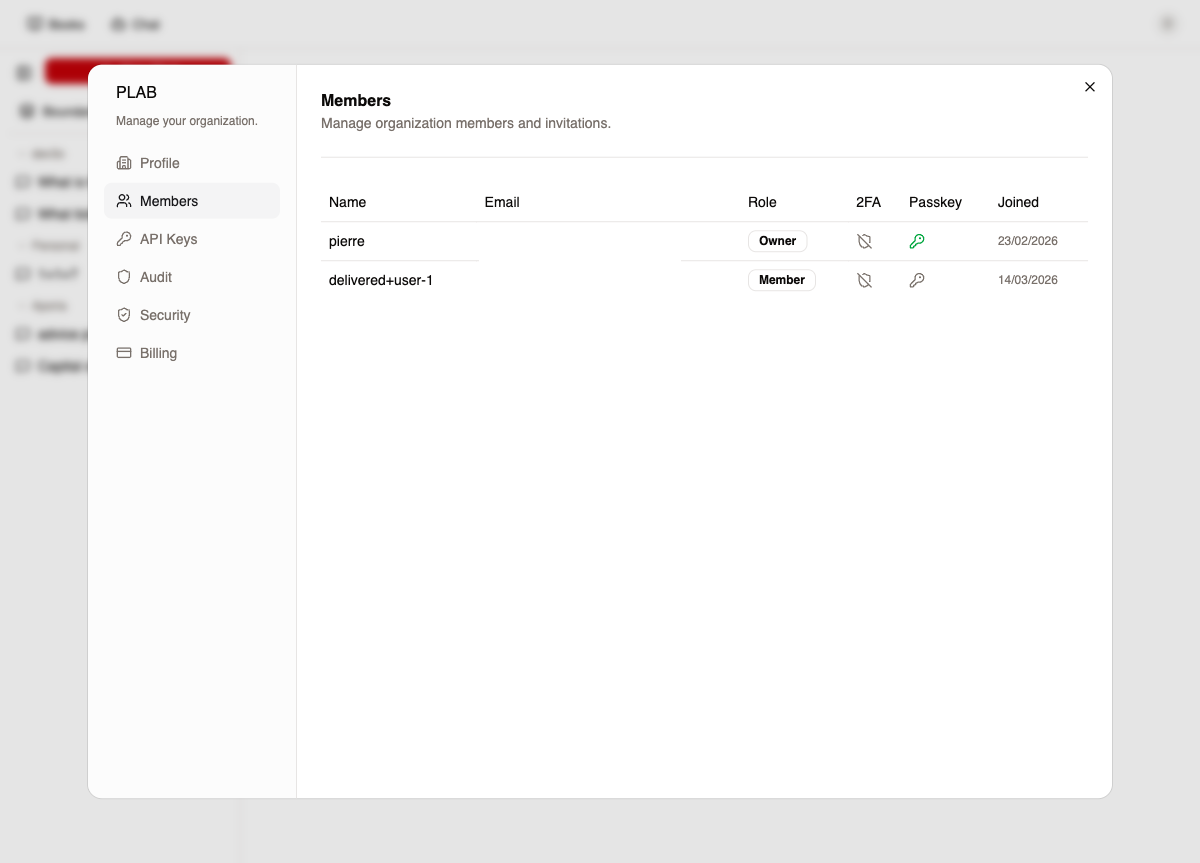
Member table
Section titled “Member table”| Column | Description |
|---|---|
| Name | Member display name |
| Member email | |
| Role | Dropdown: Admin, Member (Owner role is not editable) |
| 2FA | Green/gray icon indicating TOTP status |
| Passkey | Green/gray icon indicating passkey status |
| Joined | Membership creation date |
| Actions | Remove button (disabled for owners) |
Role changes are immediate:
authClient.organization.updateMemberRole({ memberId, role: "admin" })Constraints: The owner role cannot be assigned or removed from this UI — only Admin and Member are selectable. Only owners and admins can modify roles.
Pending invitations
Section titled “Pending invitations”Shows outstanding invitations with email, assigned role, and expiration date. Each can be cancelled:
authClient.organization.cancelInvitation({ invitationId })Invite member
Section titled “Invite member”Dialog to invite by email with a role assignment (Member or Admin):
authClient.organization.inviteMember({ email, role: "member" })API Keys
Section titled “API Keys”Permission: Owner/Admin can create and revoke, all members can view
Key table
Section titled “Key table”Columns: Name, Key (masked prefix), Scopes (badges), Expiration, Last Used.
Create API key
Section titled “Create API key”| Field | Options |
|---|---|
| Name | Required text |
| Scope preset | Read-only, Read & Write, Full Access, Custom |
| Custom scopes | Granular checkboxes per scope |
| Expiration | 7, 30, 90, 365, 1095 days, or Never |
| Allowed IPs | Optional, comma-separated |
| Allowed User-Agents | Optional, comma-separated |
After creation, the full key is shown once in a copy dialog — it cannot be retrieved again.
import { api } from "@red/backend/api"
// Createconst key = await createApiKey({  name: "CI/CD",  scopes: ["read:data", "write:data"],  expiresInDays: 90,})
// Revokeawait revokeApiKey({ keyId: key.id })
Scopes are defined in @red/backend/apikey-scopes with presets and labels.
Permission: All members can view
Paginated org-scoped audit log (25 items/page) with filters:
| Filter | Options |
|---|---|
| Event name | Text search |
| Status | All, Success, Failure, Denied |
Columns: Date, Event, Status (badge), Actor. Includes CSV export.
import { api } from "@red/backend/api"import { useQuery } from "convex/react"
const logs = useQuery(api.modules.core.audit.audit_api.listOrgAuditLogs, {  paginationOpts: { numItems: 25, cursor: null },})
Security
Section titled “Security”Permission: All can view, Owner can toggle MFA
MFA enforcement
Section titled “MFA enforcement”When enabled, all org members are required to have two-factor authentication (TOTP or passkey). Enabling this:
- Requires the toggling user to already have MFA configured
- Immediately revokes sessions of members who lack MFA
- Returns the count of revoked sessions
import { api } from "@red/backend/api"
const result = await toggleMfa({ enforce: true })// result.revokedSessions: number
The enforcement flag is stored in org.metadata.require2FA.
Delete organization
Section titled “Delete organization”Permission: Owner only
Available in the danger zone. Deletion is blocked if any non-owner members remain — ownership must be transferred or members removed first.
authClient.organization.delete({ organizationId })After deletion, BetterAuth clears the active org and the OrgGuard redirects to the org selection screen.
Billing
Section titled “Billing”Permission: All members can view, Owner manages subscriptions
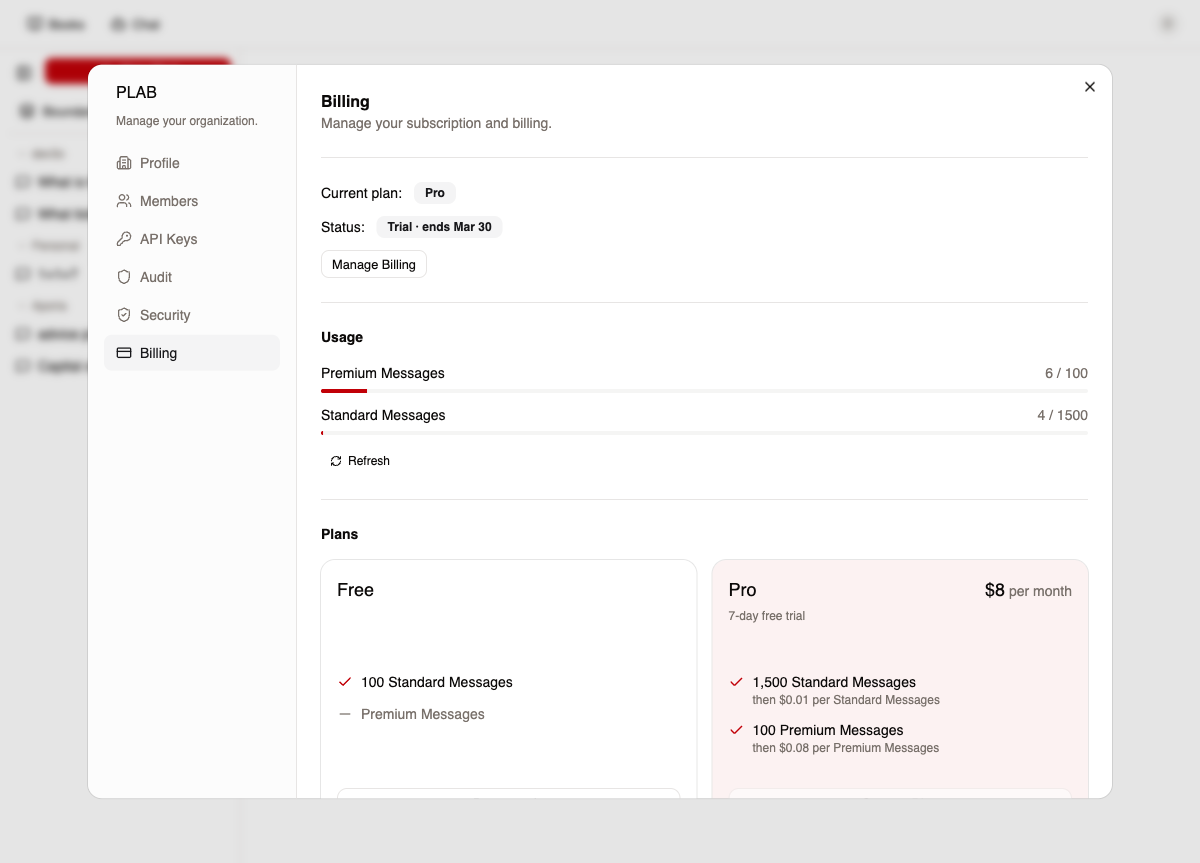
Current subscription
Section titled “Current subscription”Displays plan name, subscription status (Active, Trial, Cancelling, Past due), and renewal or cancellation date.
| Action | Description |
|---|---|
| Manage Billing | Opens Autumn billing portal for payment methods and invoices |
| Undo Cancellation | Reverses a pending cancellation |
Feature usage progress bars showing consumed vs. granted amounts. High usage (≥90%) is highlighted in red. Unlimited features show a badge instead of a bar.
Plan selection
Section titled “Plan selection”Cards showing available plans with feature comparisons. The current plan is marked and disabled. Upgrade/downgrade buttons initiate checkout via Autumn.
Add-ons
Section titled “Add-ons”One-time purchase cards for credit packs and extra features, using the same checkout flow.
Permissions summary
Section titled “Permissions summary”| Capability | Owner | Admin | Member |
|---|---|---|---|
| Edit org name | yes | yes | no |
| Invite members | yes | yes | no |
| Change member roles | yes | yes | no |
| Remove members | yes | yes | no |
| Create/revoke API keys | yes | yes | no |
| View audit logs | yes | yes | yes |
| Toggle MFA enforcement | yes | no | no |
| Delete organization | yes | no | no |
| Manage billing | yes | no | no |
| View billing & usage | yes | yes | yes |
Key files
Section titled “Key files”| File | Purpose |
|---|---|
packages/web-shell/src/components/settings/org-admin-modal.tsx |
Modal shell and tab routing |
packages/web-shell/src/components/settings/tabs/org-profile-tab.tsx |
Name editing |
packages/web-shell/src/components/settings/tabs/org-members-tab.tsx |
Member and invitation management |
packages/web-shell/src/components/settings/tabs/org-apikeys-tab.tsx |
API key lifecycle |
packages/web-shell/src/components/settings/tabs/org-audit-tab.tsx |
Org-scoped audit logs |
packages/web-shell/src/components/settings/tabs/org-security-tab.tsx |
MFA enforcement and org deletion |
packages/web-shell/src/components/settings/tabs/org-billing-tab.tsx |
Subscription, usage, and plan management |
packages/backend/src/convex/modules/core/org/org_api.ts |
MFA toggle and member security queries |
packages/backend/src/convex/modules/core/apiKeys/apikey_api.ts |
API key CRUD |
packages/backend/src/convex/modules/core/audit/audit_api.ts |
Org audit log queries |